Every trip, kept the way you lived it.
Your photos sort themselves into days and places. Add a few words, or just talk, and Passage turns it into a family journal you can share, a story you can play and a book you can hold.
Free to start. No credit card.
How it works
- Step 1
Add your photos
From your phone, your computer or Google Photos. Passage sorts them into days and finds the places you went.
- Step 2
Add a few words, or just talk
One easy question a day. Type a line or two, or tap record and Passage writes it down for you.
- Step 3
Relive it, share it, keep it
Play your trip as a story, share it privately with family and turn it into a photo book.
What Passage does
On your phone while you travel, and on the web when you’re home.
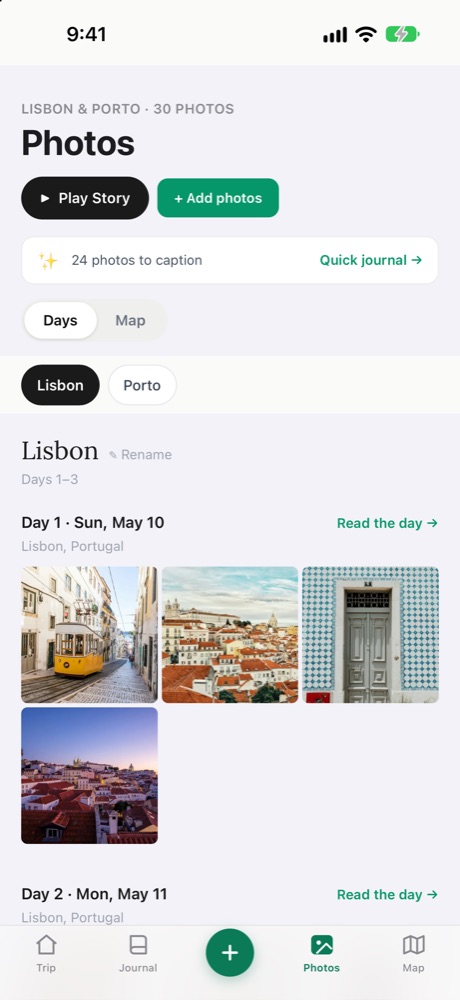
Your photos sort themselves
Bring in a whole trip's photos. Passage reads when and where each one was taken and lays them out by day and by stop — then lets you flick through similar shots full screen and keep just the best.
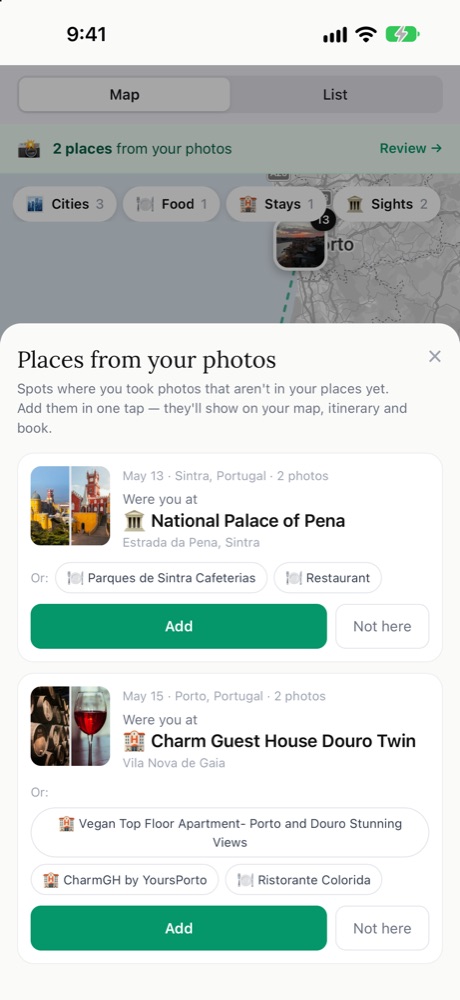
It finds the places you went
Restaurants, sights and stays are spotted from where your photos were taken. Tap Add and they’re on your map, in your itinerary and in your book.
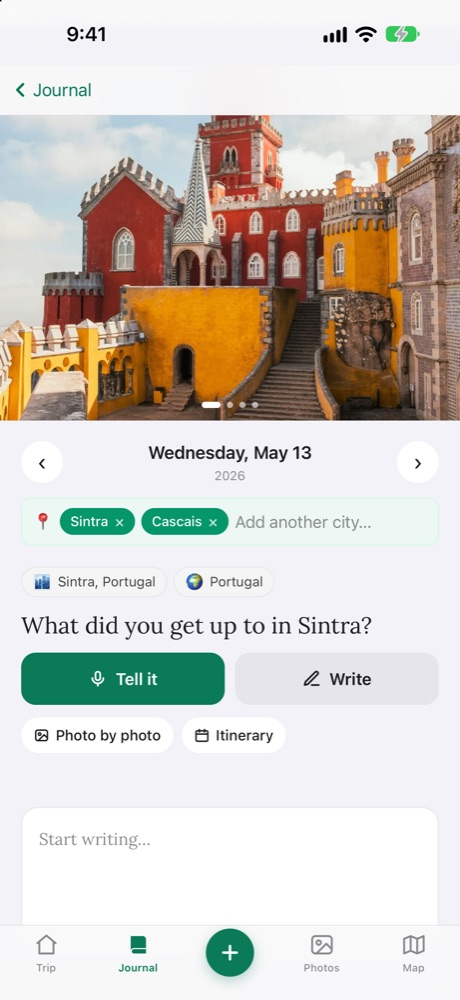
Writing made easy — or just talk
Every day gets one simple question. Write a few lines, or tap Tell it and talk — Passage types it for you. Guided questions help when you don’t know where to start.
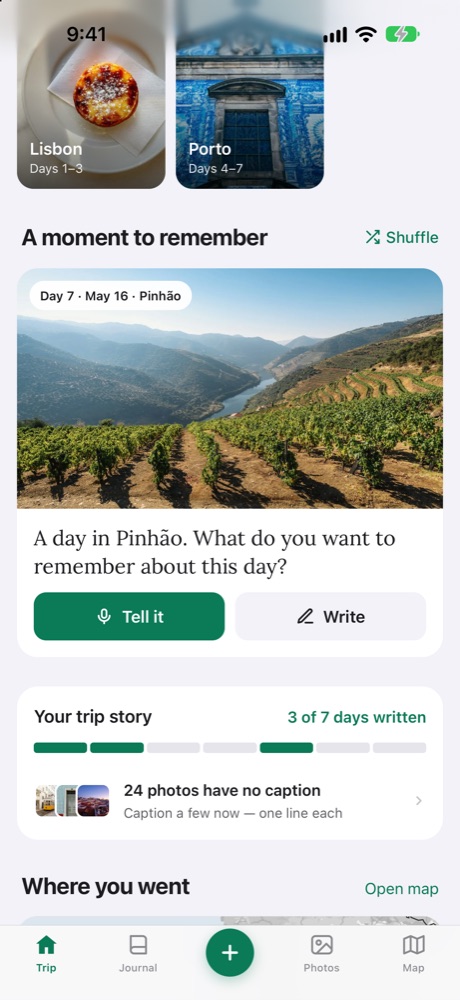
A nudge to remember the good bits
Passage picks a day you haven’t written about yet and shows you a photo from it, with one easy question — so the journal fills in a moment at a time.
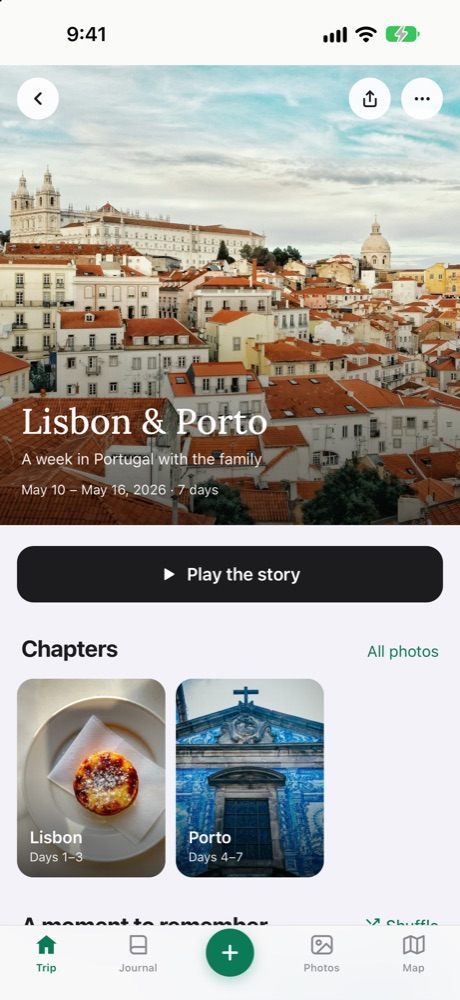
Relive it, share it, keep it
Play your trip as a story — the best moments, full screen. Share it privately with family, and turn it into a printed photo book you’ll keep.
Made for families
Invite family to add their own days, photos and memories to the same trip.
Children get their own simple journal inside the trip, with drawing and big buttons.
Send grandparents a link that only works for them — read-only, just the days you choose.
Every country and city from every trip, together on one map.
Talk about your day instead of typing — Passage writes it down for you.
Your days, photos and places laid out into a book, ready to print as a hardcover.
Your memories stay yours
- Private by defaultOnly you and the people you invite can see a trip.
- You choose what’s sharedSend family a private link to just the days you pick, read-only.
- No ads, everWe don’t sell your data or show you advertising.
- Not used to train AIYour photos and writing are never used to train AI models.
Your next trip starts here
Start one you’re about to take, or bring in the photos from one you already have.